

Touch Typing
Learn to type without looking at the keyboard. Touch typing is a satisfying skill that pays off every single day, and in 15 minutes you can learn the , type your first words blind, and measure your starting speed.
What you'll do
Learn the home row finger positions and type five words without looking at the keyboard, then time a one-minute test.
At a glance
- Time
- 15 minutes for your first session
- Cost
- Nothing to buy. It uses things you already have at home.
- You need
- A computer or laptop with a physical keyboard, A timer (phone)
- Members
What you need
Required
- A computer or laptop with a physical keyboard · $0 · household
Open any blank text document or email draft to type into.
Alternatives: A tablet with a Bluetooth keyboard
- A timer (phone) · $0 · household
Nice to have
- A dish towel or small cloth · $0 · household
Drape it over your hands to stop yourself from peeking.
How to do it
Pick up where you left off
Step ·
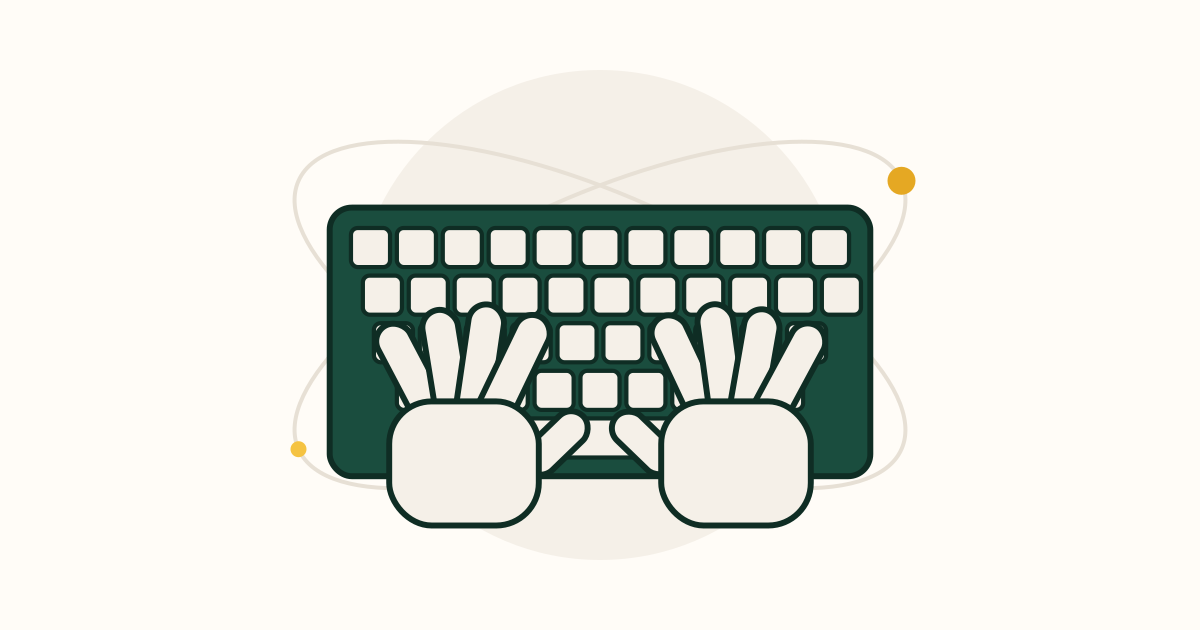
Sit with your elbows bent at about 90 degrees and your wrists floating just above the keyboard, not resting on it. Find the two keys with small raised bumps, F and J. Put your left index finger on F and your right index finger on J. Let the other fingers fall naturally on the keys beside them: left hand A S D F, right hand J K L and the semicolon. Both thumbs rest on the space bar. This is the and your fingers return here after every key. Close your eyes, lift your hands, and find the bumps again 5 times until you can do it without looking.
Show helpHide help
home row: The middle row of letter keys where your fingers rest: A S D F for the left hand and J K L ; for the right.
Tip: Common mistake: peeking at the keyboard whenever you are unsure. Every peek slows your learning; feel for the F and J bumps instead.
Each finger presses the keys in a slanted column above and below its home key. Left pinky: A, Q, Z. Left ring: S, W, X. Left middle: D, E, C. Left index: F and G, plus R, T, V, B. Right index: J and H, plus U, Y, N, M. Right middle: K, I, comma. Right ring: L, O, period. Right pinky: semicolon, P, and the Enter key. Look at the keyboard once and trace each column with the correct finger. The most common mistake is pressing G and H with the wrong index finger, or using one finger for everything; stick to the map even when it feels slow.
Show helpHide help
Tip: Common mistake: peeking at the keyboard whenever you are unsure. Every peek slows your learning; feel for the F and J bumps instead.
Open a blank document. Without looking at your hands, type "asdf jkl;" 5 times, then these words, each 3 times with a space between: "dad", "sad", "lad", "flask", "salad", "a lad had a salad". H uses your right index finger reaching one key left from J. Say each letter in your head as you press it. It is fine to be slow, around one key per second. You have it when you can type "a lad had a salad" with no more than one error. If you make a lot of errors, check that your index fingers are still on the bumps.
Show helpHide help
Tip: Common mistake: peeking at the keyboard whenever you are unsure. Every peek slows your learning; feel for the F and J bumps instead.
E is pressed by your left middle finger reaching up one row from D; I is pressed by your right middle finger reaching up from K. Reach with just that finger and return it to home immediately. Type each of these 3 times without looking: "did", "fed", "kid", "file", "like", "desk", "slide", "a kid fed a seal". Watch out for the common habit of moving your whole hand up to reach the top row; only the one finger should leave the while the others stay resting on their keys.
Show helpHide help
Tip: Common mistake: peeking at the keyboard whenever you are unsure. Every peek slows your learning; feel for the F and J bumps instead.
Drape a dish towel over your hands and the keyboard so you truly cannot see the keys. Type this sentence 3 times: "dad likes a fresh salad at his desk". It uses keys plus E, I, R, T and H; R and T belong to your left index finger, up and up-right from F. Then check what you typed. You are getting it when most letters are right even if you were slow. If you are completely lost, take the towel off, put your index fingers on the bumps, and start again; finding the bumps by feel is the main skill here.
Show helpHide help
Tip: Common mistake: peeking at the keyboard whenever you are unsure. Every peek slows your learning; feel for the F and J bumps instead.
Set a timer for 60 seconds and type any simple paragraph you can see on screen or from a book, without looking at your hands and without correcting mistakes. When the timer ends, count the characters you typed including spaces, and divide by 5: that is your words per minute, or . A first touch-typing score of 5-15 WPM is normal and will be lower than your speed; that is expected. You did it: you typed with the correct fingers without looking. Next session, add the remaining top-row keys (Q, W, O, P, U, Y) and aim for 10 minutes of practice a day.
Show helpHide help
WPM: Words per minute. Typing tests count every 5 characters, including spaces, as one word.
hunt-and-peck: Typing by looking at the keyboard and pressing keys with one or two fingers per hand.
Tip: Common mistake: peeking at the keyboard whenever you are unsure. Every peek slows your learning; feel for the F and J bumps instead.
Tips
Common mistake: peeking at the keyboard whenever you are unsure. Every peek slows your learning; feel for the F and J bumps instead.
Accuracy first. Speed comes automatically once your fingers know where the keys are; racing builds wrong habits.
Expect to get slower for about a week before you get faster. Push through it; most people pass their old speed within a few weeks.
Keep your wrists floating and your fingers curved, like resting them on the top of a ball.
Glossary
- home row
- The middle row of letter keys where your fingers rest: A S D F for the left hand and J K L ; for the right.
- WPM
- Words per minute. Typing tests count every 5 characters, including spaces, as one word.
- hunt-and-peck
- Typing by looking at the keyboard and pressing keys with one or two fingers per hand.
Communities
Resources
Frequently asked questions
I already type fast with a few fingers. Is it worth switching?
Usually yes, because touch typing lets you look at the screen instead of your hands, and most people end up faster and more accurate. Expect a slower week or two while you switch.
Can I learn this on a phone?
No, touch typing needs a physical keyboard. A cheap Bluetooth keyboard works with a phone or tablet.
What is a good typing speed?
Around 40 WPM is a typical adult average. 60-70 WPM is fast for everyday use. Accuracy above 95 percent matters more than raw speed.
My pinkies are weak and miss keys. Is that normal?
Very normal. Pinkies get stronger and more precise within a couple of weeks of daily practice. Keep using them rather than switching to another finger.
How long does it take to learn?
Most people know all the letter keys after a week or two of 10-15 minutes a day, and reach their old speed within a month.
Something off in this guide?